

Description
A powerful WordPress plugin to export posts, pages, and custom post types into Webflow-ready CSV formats.
Features
- Post & Page Export – Export any post type with custom field mappings
- Taxonomy Export – Export categories, tags, and custom taxonomies
- Rich Text Support – Proper HTML formatting for Webflow Rich Text fields
- Multi-Reference Fields – Category/taxonomy slugs formatted for Webflow
- Image URLs – Absolute URLs for featured images and in-content media
- Smart Match – Connect Webflow API to auto-map fields to your collections
- Redirects Export – Generate 301 redirect CSVs for SEO preservation
- 4MB Limit Handling – Automatic detection with option to split into multiple files (ZIP)
- Quality Audit – Check for issues before export (missing images, short content, etc.)
Developer Mode Features
- Partial Export – Limit exports by post count or date range
- Advanced Fields – Access author IDs, parent slugs, and other advanced mappings
Usage
- Select your content type (Posts, Pages, or any CPT)
- Configure field mappings (or use Smart Match with Webflow API)
- Run Quality Audit to check for issues
- Click “Run Batch Export” to generate CSV
- Import the CSV into your Webflow CMS collection
Recommended Import Order
- Export and import Taxonomies first (Categories, Tags)
- Export and import Authors if using author references
- Export and import Posts/Pages last (so references resolve correctly)
External services
This plugin optionally connects to the Webflow API to power its “Smart Match” feature.
What data is sent?
When you enter a Webflow Site API Token and use the Smart Match feature, the plugin sends your API token to the Webflow API to retrieve your site’s CMS Collections and their field schemas. No WordPress content is sent to Webflow through this plugin.
When is data sent?
Data is only sent when you actively use the Smart Match feature by entering an API token and clicking to load collections or field schemas. No data is sent automatically or in the background.
Service details
- Service provider: Webflow, Inc.
- API endpoint:
https://api.webflow.com/v2/ - Terms of Service: https://webflow.com/legal/terms
- Privacy Policy: https://webflow.com/legal/privacy
Screenshots
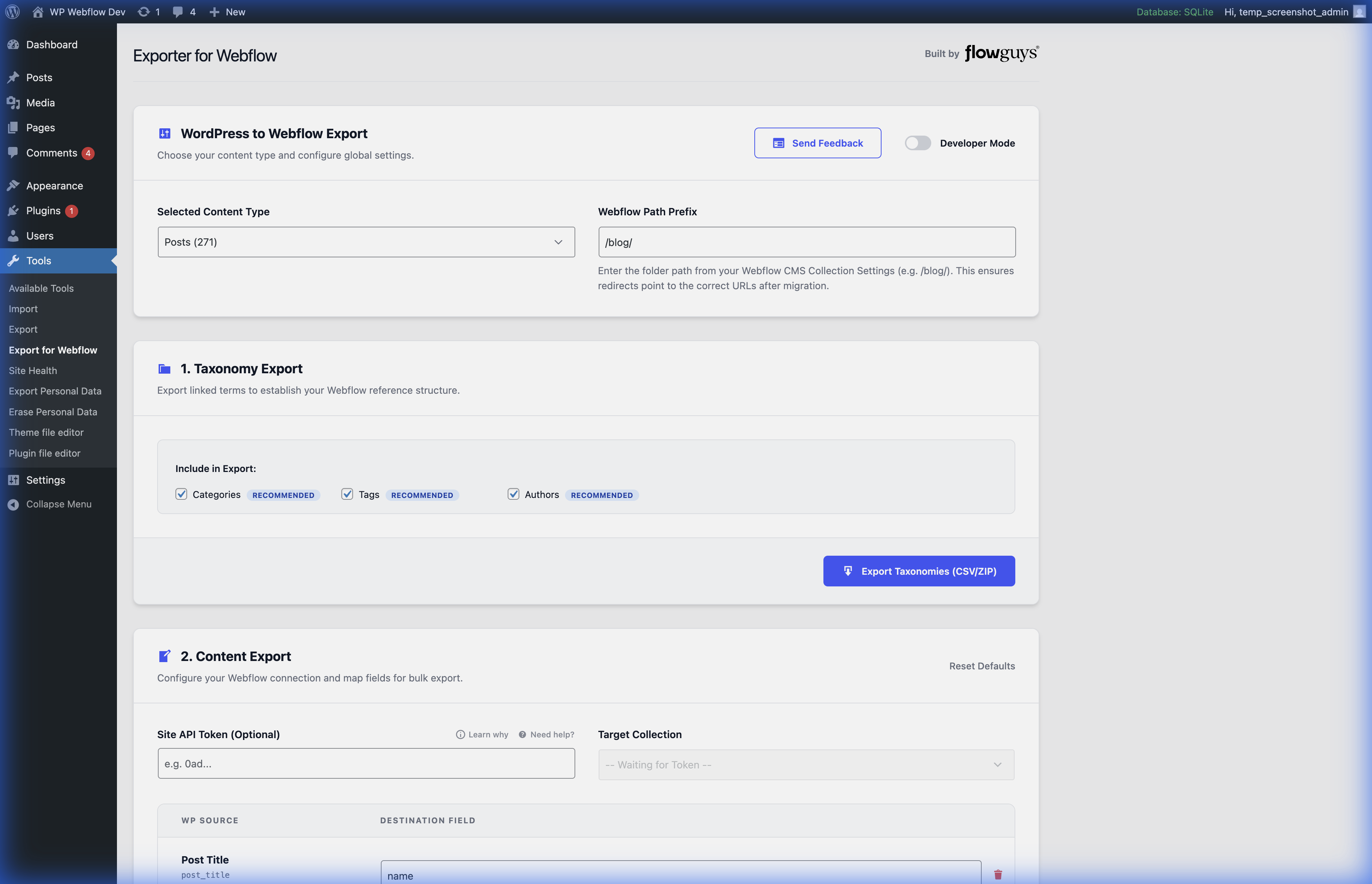
Main Interface – Configure your content type, path prefix, and export taxonomy data 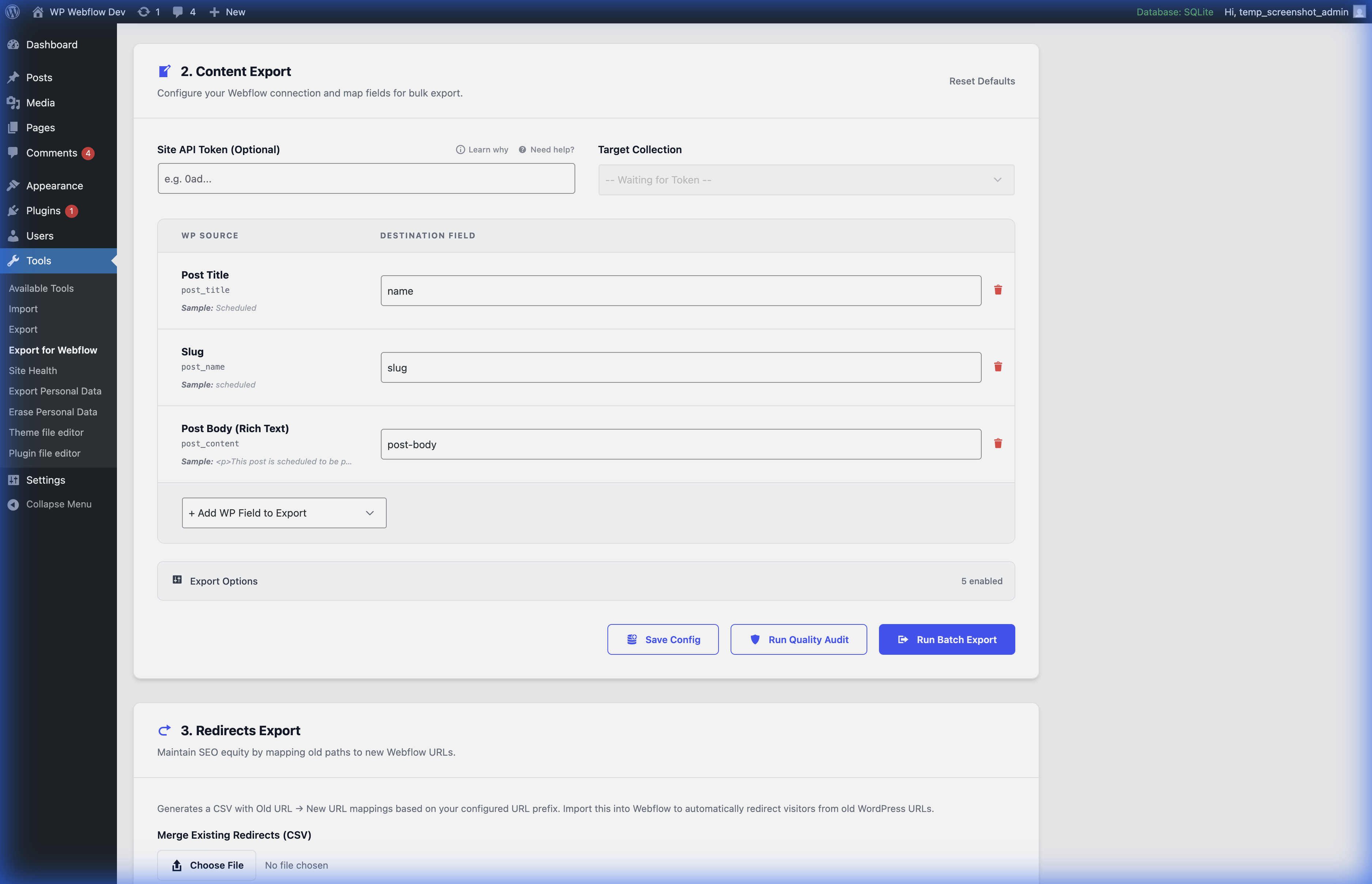
Field Mapping – Map WordPress fields to Webflow collection fields with Smart Match suggestions 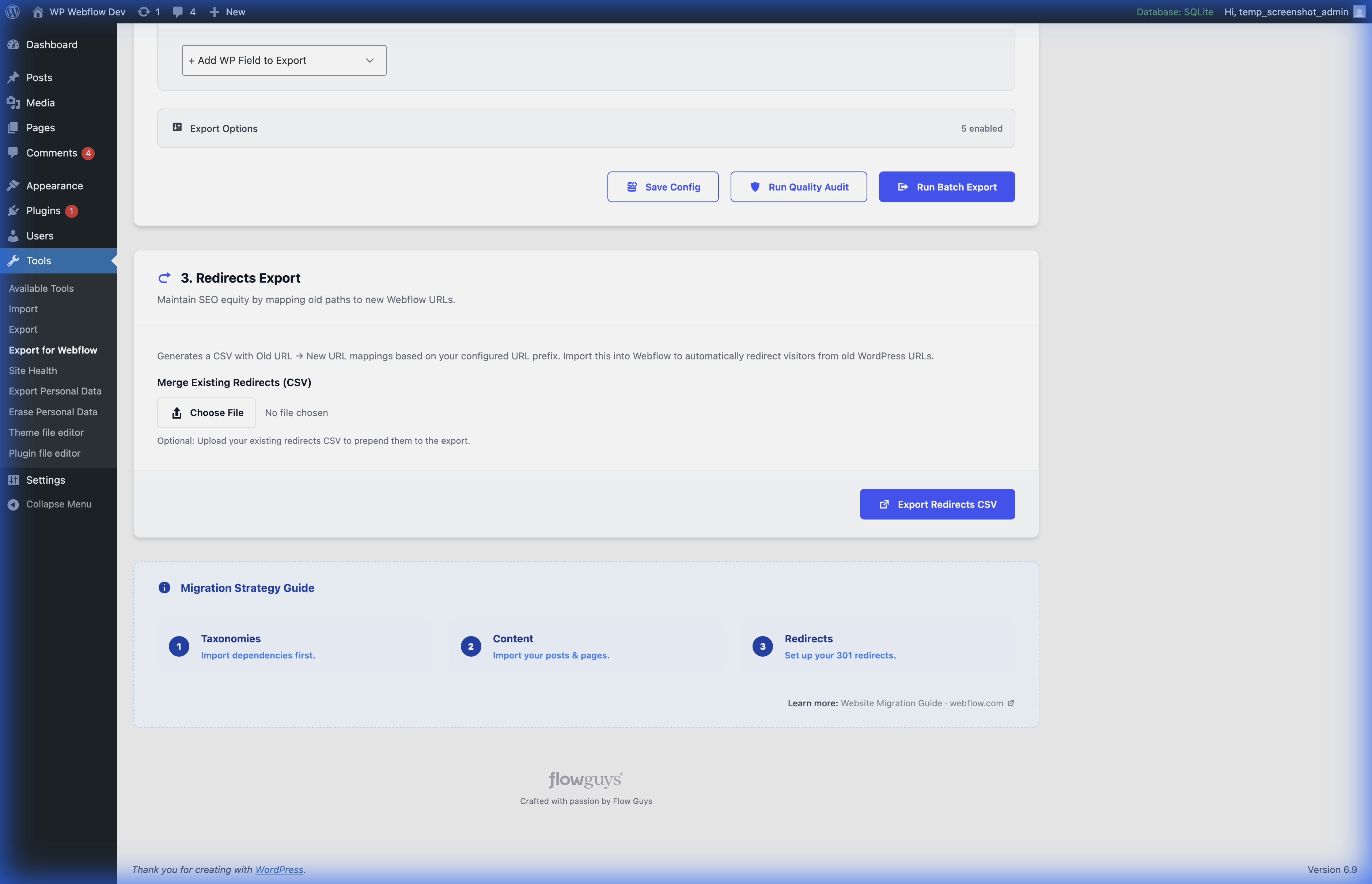
Export Options – Run quality audits and batch export with progress tracking
Installation
- Upload the
exporter-for-webflowfolder to/wp-content/plugins/ - Activate the plugin through the WordPress admin
- Go to Tools Export for Webflow
Reviews

Contributors & Developers
“Exporter for Webflow” is open source software. The following people have contributed to this plugin.
Contributors
Translate “Exporter for Webflow” into your language.
Interested in development?
Browse the code, check out the SVN repository, or subscribe to the development log by RSS.
Changelog
1.2.0
- Native extraction of ACF Block data embedded inside Gutenberg post content.
- New WP-CLI command integration to run exports seamlessly from the terminal.
- Field categorization in the “Add WP Field to Export” dropdown.
- “Quick Add” buttons to instantly map all fields from a specific category.
- CSV and ZIP export filenames now append exact timestamps (Hour, Minute, Second) to prevent overwrites.
1.1.0
- ACF field support: image, gallery, and file fields now export as full URLs instead of attachment IDs.
- ACF field support: true/false fields export as “true”/”false” instead of “1”/”0″.
- ACF field support: select, checkbox, link, and WYSIWYG fields now export Webflow-compatible values.
- Smart detection of image galleries stored as serialized attachment IDs.
- Fixed meta field discovery on WordPress 6.9+ (fields were not appearing in the dropdown).
- Fixed inconsistent multi-value delimiter for Webflow CSV import compatibility.
1.0.0
- Initial release.
- Support for Posts, Pages, and Custom Post Types.
- Rich Text cleaning and formatting for Webflow.
- Automatic CSV definition generation.