
Description
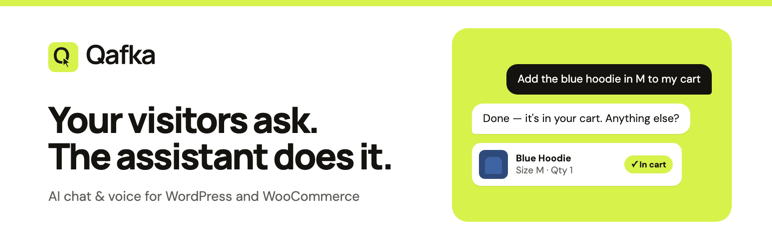
Qafka AI Assistant adds the Qafka assistant to your site. Visitors ask in
their own words, by chat or voice, and get answers from your site’s content
and products. With WooCommerce, shoppers can also see their cart and add
products to it, signed-in shoppers can check their orders, and guests can
look up an order with its number and e-mail.
Connect the site to your Qafka account, enable the assistant, and it appears
on every page. The assistant’s code is loaded from the Qafka CDN — no assets
are stored on your server.
Settings live under Settings Qafka. Use Connect to Qafka to sign in
and fill in the key automatically, or paste it by hand:
- Enable widget — turn the widget on or off without removing the plugin.
- API key — your Qafka publishable key (
qafka_pk_...). - Language — auto-detect the visitor’s language, or force Turkish/English.
- Opening mode — use the project’s Chat Theme setting, or force the side
panel (docks beside the page) or the popup (floats over the page) on this site. - Cursor navigation — when the assistant takes a visitor to another page,
a cursor moves to the matching link and clicks it.
External services
This plugin connects to services operated by Qafka. Terms of service:
https://www.qafka.com/terms – Privacy policy: https://www.qafka.com/privacy
Qafka CDN (cdn.qafka.com)
Serves the widget loader script. When the widget is enabled, every front-end
page loads https://cdn.qafka.com/v1/qafka.js from the visitor’s browser, so
the visitor’s IP address and standard request headers reach the CDN.
Qafka API (api.qafka.com)
Used by the widget to run the chat/voice assistant. When a visitor sends a
message, the message text, your publishable key and the page URL are sent from
the visitor’s browser to the Qafka API. If the visitor asks about their own
orders or cart, that order or cart data is read from this site and sent from
the visitor’s browser only at that moment. The Connect to Qafka flow also calls
https://api.qafka.com/api/v1/connect/wordpress/exchange from your server once,
sending a one-time code, the handshake code created by this site and your site
URL to receive the publishable key.
Qafka dashboard (app.qafka.com)
When an administrator clicks Connect to Qafka, the browser is redirected to
https://app.qafka.com/dashboard/connect/wordpress with this site’s URL, a
one-time random code and the return address, so you can sign in and approve the
connection. No other data is sent to the dashboard by the plugin.
Installation
- Upload the
qafkafolder to/wp-content/plugins/, or install the zip
via Plugins Add New Upload Plugin. - Activate the plugin.
- Go to Settings Qafka and click Connect to Qafka (or paste your
API key by hand), check Enable widget, and save.
FAQ
-
Where do I get an API key?
-
From your Qafka dashboard at https://qafka.com.
-
Does this store any data on my server?
-
The plugin stores its settings (including your publishable key) in the
qafka_widget_settings option, plus a short-lived transient while you connect.
It does not store visitor conversations. The widget is served from the Qafka CDN
and talks to Qafka from the visitor’s browser; chat messages are processed by
the Qafka service (see External services below). -
The guest order lookup is limited to 5 attempts per 15 minutes per visitor IP
and per order number. The plugin trusts only the connection’sREMOTE_ADDR,
because proxy headers can be forged. Behind a trusted reverse proxy, return the
real visitor IP from theqafka_lookup_client_ipfilter. -
Behind a CDN or proxy
-
Order lookups are also limited to 60 per hour for the whole site, and cart adds
to 60 per 15 minutes per IP. If your site is behind Cloudflare, every visitor
may otherwise share one address. Only on sites behind Cloudflare, add this to
a small custom plugin or your theme’s functions.php:add_filter( 'qafka_lookup_client_ip', array( 'Qafka_Rate_Limit', 'cloudflare_ip' ) );Do not add it if the site is reachable without Cloudflare: the header can then be forged.
Reviews
There are no reviews for this plugin.
Contributors & Developers
“Qafka AI Assistant” is open source software. The following people have contributed to this plugin.
Contributors
Translate “Qafka AI Assistant” into your language.
Interested in development?
Browse the code, check out the SVN repository, or subscribe to the development log by RSS.
Changelog
0.3.1
- Abuse limits: cart adds are limited per IP, the cart holds at most 50 different products, and order lookups have a site-wide ceiling.
- POST requests without an Origin header are refused.
- Optional Cloudflare helper for the client IP filter.
0.3.0
- Connect to Qafka: one-click sign-in that fills in the API key.
- Order and cart helper endpoints for the assistant (WooCommerce).
- External services documented for wordpress.org.
0.2.0
- Opening mode setting: force side panel or popup on this site.
- Cursor navigation setting.
- The loader is enqueued with wp_enqueue_script (async, footer) instead of printed by hand.
- Licensed under GPLv2 or later.
- Tested with WordPress 7.1.
0.1.0
- Initial release: settings page + CDN loader embed.