

Description
Check out the live demos and full documentation on the official Square Orb site.
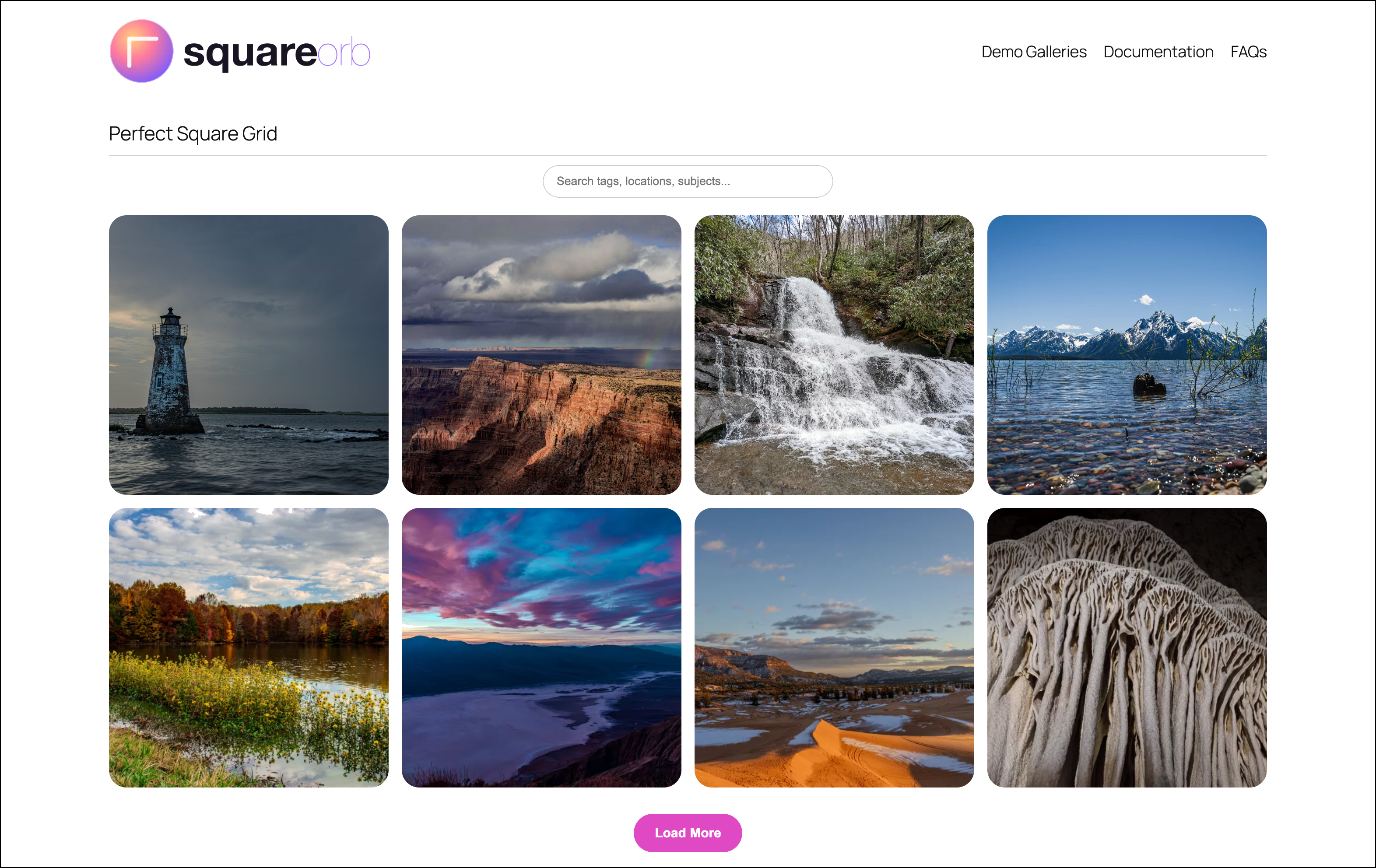
Square Orb is a gallery plugin for WordPress. Display images and videos in responsive galleries with a full-screen lightbox experience, cloud import from Google Photos and Adobe Lightroom, and an optional engagement analytics dashboard.
Key Features:
- 5 layout options: Grid, Masonry, Justified Row, Carousel, and Interactive Map
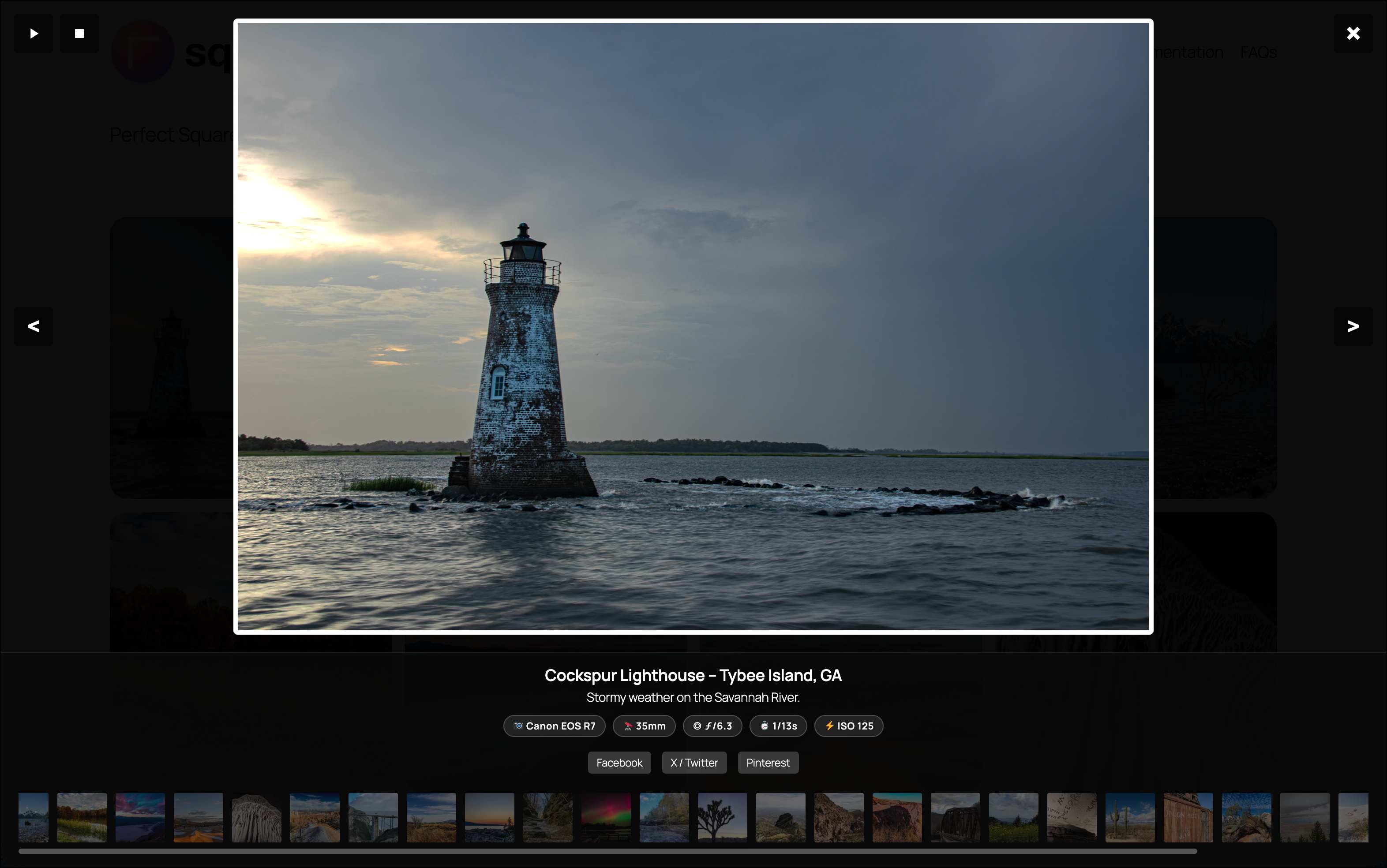
- Full-screen lightbox with 11 transition styles, slideshow, filmstrip, EXIF data, and social sharing
- Dynamic Gutenberg block inspector — settings automatically show/hide based on the selected layout
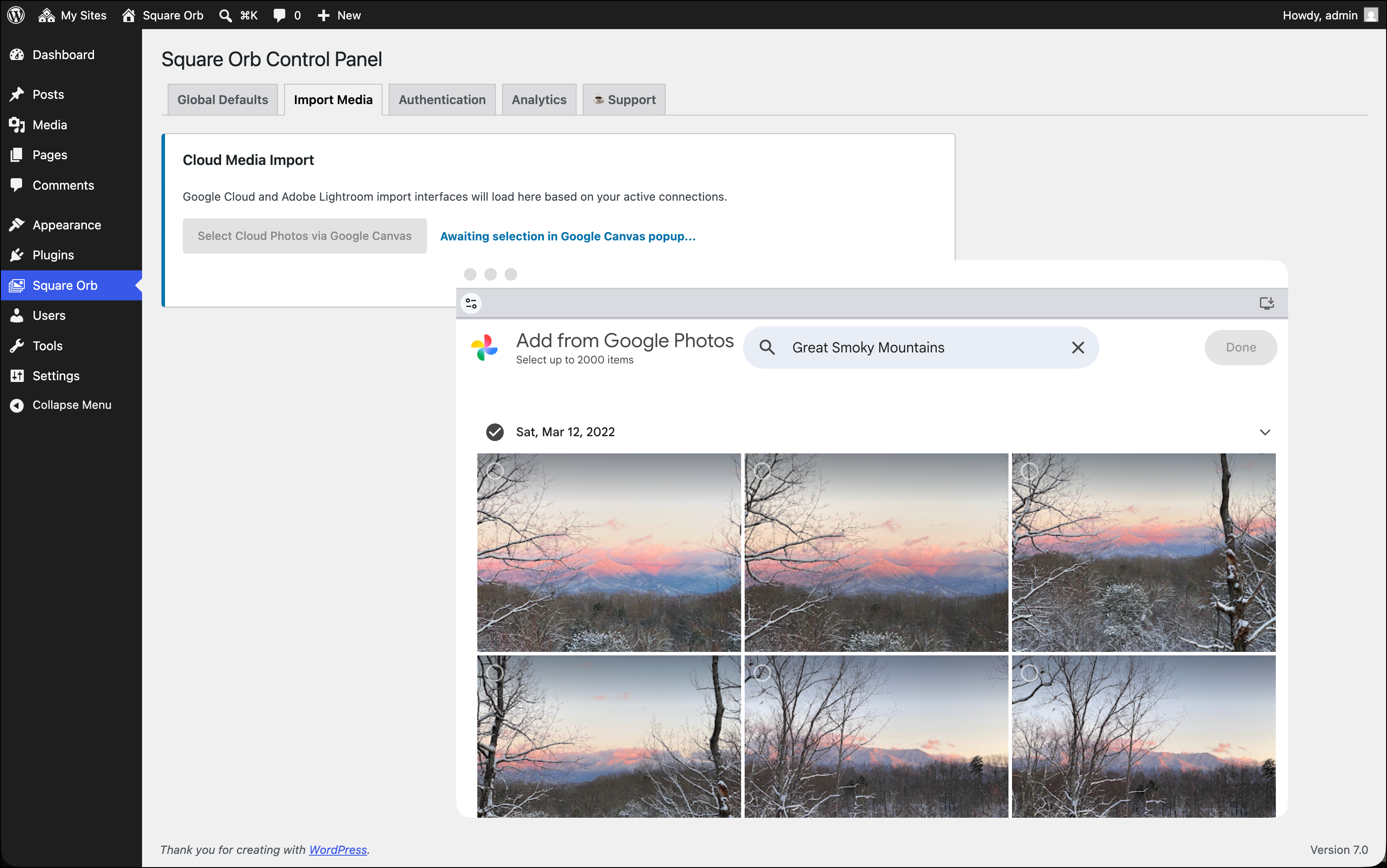
- Cloud media import from Google Photos and Adobe Lightroom
- Smart search and category filter system
- Drag-and-drop media reordering in the block editor
- Watermarking engine with auto-stamp on upload
- Optional engagement analytics dashboard (opt-in, off by default)
- Gutenberg block and shortcode (
[square_orb ids="1,2,3"]) support - Transient caching for high-performance page delivery
External Services
This plugin optionally connects to the following third-party services. These connections are only established when you actively configure and use the corresponding features.
-
Google Photos API — Used to authenticate your Google account and import media items into your WordPress Media Library. Data transmitted: OAuth 2.0 authorization codes and access tokens issued by Google. Google Privacy Policy | Google Terms of Service
-
Google Vision API — Used optionally to auto-tag imported images via AI label detection. Data transmitted: Base64-encoded image content sent to Google’s Vision API. This feature requires a separate Google Cloud API key and is disabled by default. Google Privacy Policy
-
Adobe Lightroom API — Used to authenticate your Adobe account and import media from Adobe Lightroom into your WordPress Media Library. Data transmitted: OAuth 2.0 authorization codes and access tokens issued by Adobe. Adobe Privacy Policy | Adobe Terms of Service
-
Leaflet.js (Bundled locally) — Used to render the Interactive Map gallery layout. The JavaScript and CSS assets are bundled directly within the plugin’s assets directory; no third-party CDN or external service is contacted. Leaflet
-
Chart.js (Bundled locally) — Used to render the analytics chart on the admin Analytics tab. The JavaScript asset is bundled directly within the plugin’s assets directory; no third-party CDN or external service is contacted. Chart.js
-
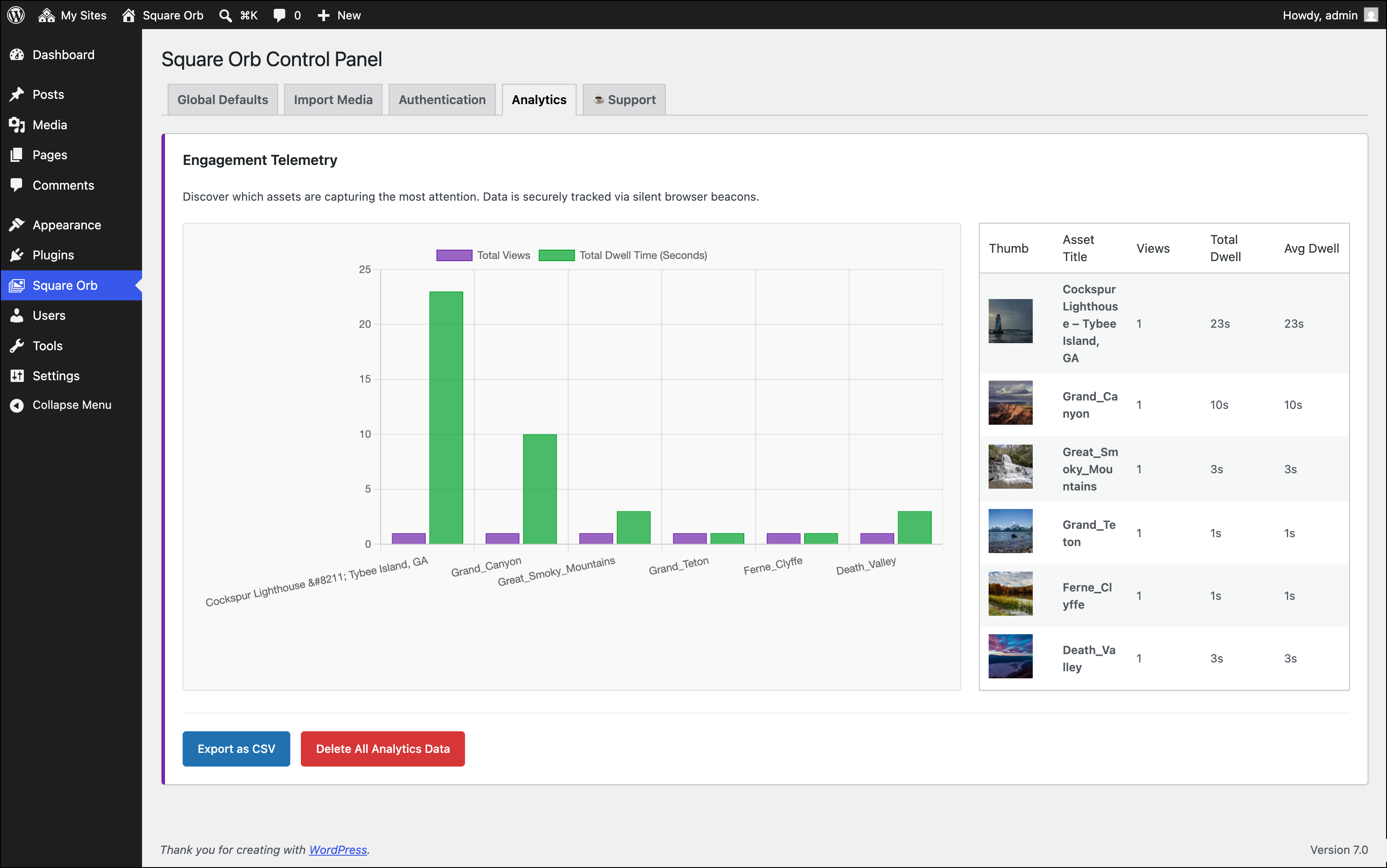
Engagement Telemetry — Off by default. When explicitly enabled by the site administrator in Square Orb Global Enable Engagement Telemetry, the plugin records anonymous view counts and dwell times per gallery image. All data is stored locally in your WordPress database only. No data is transmitted to any external server. No personally identifiable information (PII) is ever collected.
Quick Start
A simple first gallery is usually just a few images from your Media Library. Start with the default grid layout, choose a few images, and publish the page. If you want a more curated experience later, add filters, smart search, or cloud imports.
Screenshots
Blocks
This plugin provides 1 block.
- Square Orb Canvas
Installation
- Upload the
square-orbfolder to the/wp-content/plugins/directory, or install directly through the WordPress Plugins screen. - Activate the plugin through the Plugins menu in WordPress.
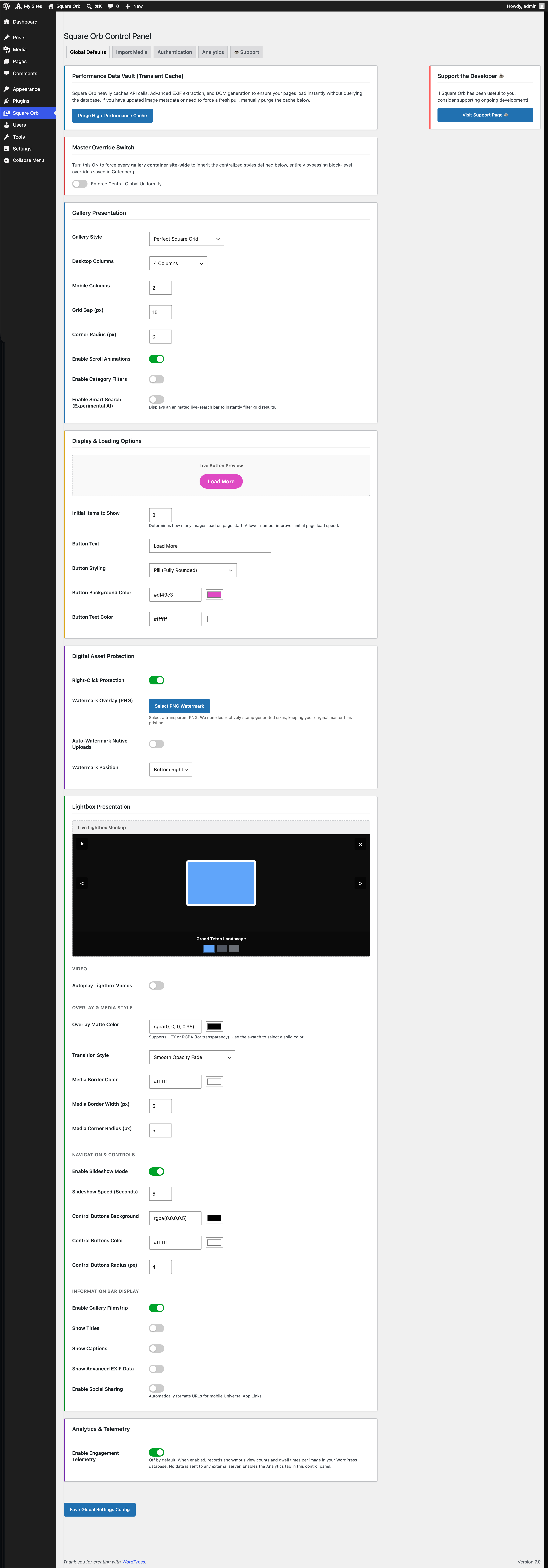
- Navigate to Square Orb in the admin sidebar to configure global display settings.
- To import from Google Photos or Adobe Lightroom, enter your API credentials on the Authentication tab.
- Insert the Square Orb block in the Gutenberg editor, or use the shortcode:
[square_orb ids="1,2,3"].
FAQ
-
How do I set up Google Photos import?
-
Navigate to Square Orb Authentication, enter your Google OAuth Client ID and Secret, then click “Connect to Google Photos”. See the full step-by-step Google Photos setup guide on our documentation portal.
-
How do I set up Adobe Lightroom import?
-
Navigate to Square Orb Authentication, enter your Adobe Client ID and Secret, then click “Connect to Lightroom”.
-
Does this plugin collect any user data?
-
No, by default. The engagement telemetry system is off by default and must be explicitly enabled by the site administrator in Square Orb Global Enable Engagement Telemetry. When enabled, it records anonymous view counts and dwell times per gallery image, stored locally in your WordPress database only. No data is ever transmitted to any external server, and no personally identifiable information (PII) is collected.
-
Can I use the gallery on multiple pages?
-
Yes. Each Gutenberg block or shortcode instance is independently configured. You can also enable the “Enforce Central Global Uniformity” switch on the Global Defaults tab to apply the same styling across all gallery instances site-wide.
-
How do I display the gallery on archive or shop pages?
-
Use the
square_orb_enqueue_assetsfilter to force asset enqueuing on non-singular pages:add_filter( 'square_orb_enqueue_assets', '__return_true' );
Reviews
There are no reviews for this plugin.
Contributors & Developers
“Square Orb” is open source software. The following people have contributed to this plugin.
Contributors
Translate “Square Orb” into your language.
Interested in development?
Browse the code, check out the SVN repository, or subscribe to the development log by RSS.
Changelog
1.1.2
- Security: Added authenticated at-rest encryption (AES-256-CBC with HMAC-SHA256) for stored OAuth access tokens, refresh tokens, client secrets, and API keys.
- Security: Disabled option autoloading for all sensitive credentials to eliminate memory exposure on frontend requests.
- Security: Added strict host whitelist validation for Google Photos import URLs to prevent SSRF and token exfiltration.
- Security: Added binary MIME type verification for cloud imported media prior to file creation and media library sideloading.
- Security: Masked client secrets and API keys in the admin authentication tab to prevent shoulder surfing and DOM scraping.
- Security: Scoped client-side access token passing exclusively to the Cloud Import tab for authorized users.
- Security: Sanitized analytics CSV export against CSV formula injection (CWE-1236).
- Security: Hardened lightbox video embeds and Leaflet map markers against DOM XSS via safe DOM construction and protocol validation.
- Performance: Optimized watermark image stamping to resolve local upload paths directly from the filesystem, avoiding redundant HTTP loopback requests.
1.1.1
- Updated links within the plugin to point to a newly launched support site with complete documentation.