

Description
Variation Gallery for WooCommerce allows you to customize where variation thumbnail galleries appear relative to the product gallery. By default, WooCommerce allows multiple images for each variation, which has no limits on how much visual information can be shown.
👉 Plugin Demo | Documentation | Get Pro 👈
Core Features & Highlights
✨ Image slider: Uses Slick Slider for smooth, responsive navigation of the main product gallery image.
✨ Thumbnail position (Top/ Bottom) : Offers flexible positioning for product gallery thumbnails with options to align them on the top or bottom.
✨ Thumbnail slider: Uses Slick Slider for smooth, responsive navigation of the main product thumbnail image.
✨ Zoom option: Enables a zoom feature on main product images, allowing detailed viewing across all color and style variations.
✨ Light box: Enables a lightbox popup for viewing product variation and main gallery images in a full-screen, high-resolution display.
✨ Global & Product-Level Controls: Configure settings globally via WordPress Admin → Tools → Variation Gallery or customize them per product under the product editor tab.
How to Work Settings with Gallery.
✨ Thumbnail Position: Top — Displays gallery thumbnails above the main product image.
👉 Live Demo | Documentation
✨ Thumbnail Position: Bottom — Displays gallery thumbnails below the main image (Default).
👉 Live Demo | Documentation
✨ Thumbnail Position: Left (Pro) — Displays gallery thumbnails stacked vertically on the left side.
👉 Live Demo | Documentation
✨ Thumbnail Position: Right (Pro) — Displays gallery thumbnails stacked vertically on the right side.
👉 Live Demo | Documentation
Compatibility
Variation Gallery for Woocommerce plugin is integrated into WooCommerce and WordPress, but only where necessary. It’s unlikely to conflict with other plugins.
Need Any Help?
👉 For any bug, support or suggestion please submit your ticket here .
Screenshots

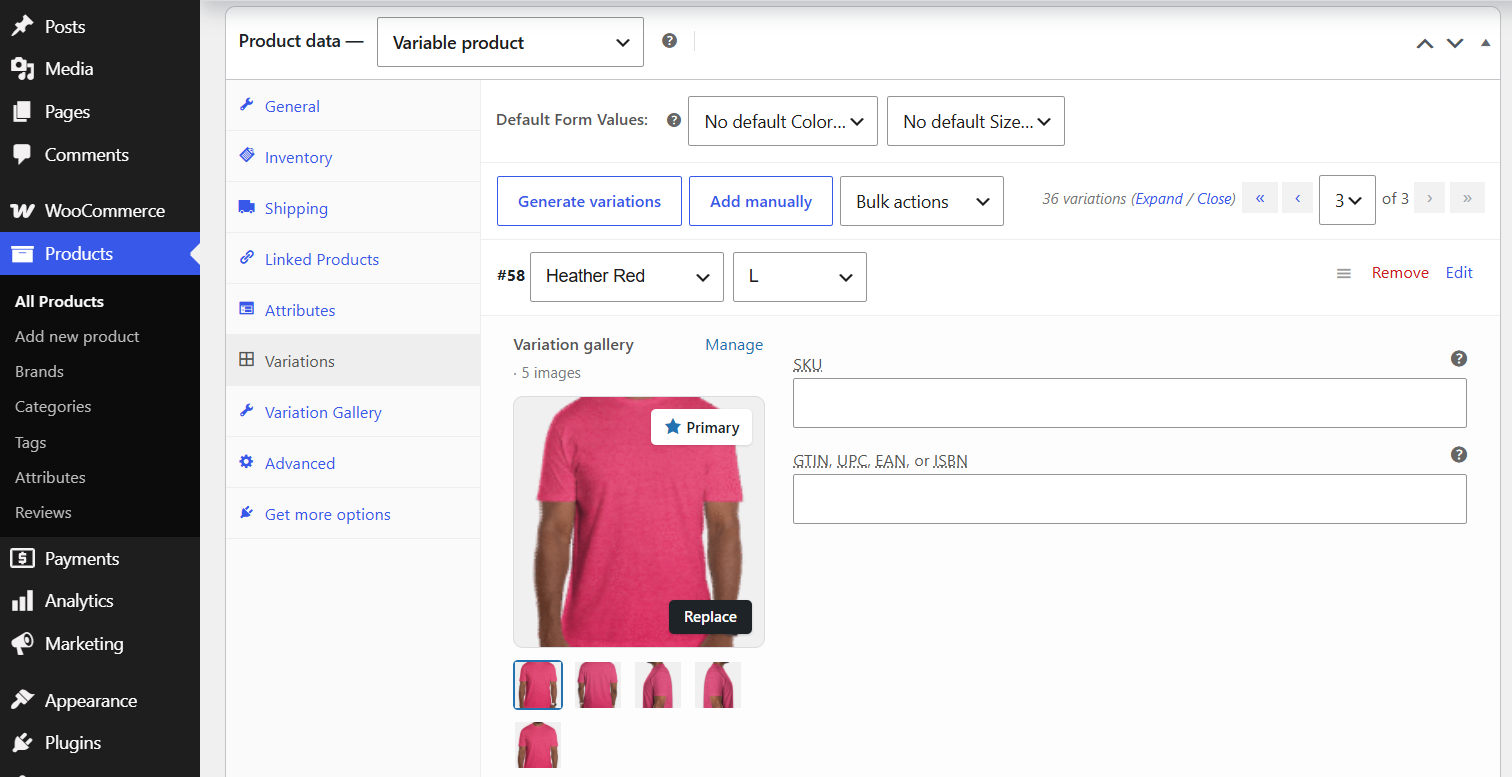


Installation
- Upload the variation gallery for woocommerce folder to your
/wp-content/plugins/directory. - Activate the plugin through the
Pluginsscreen. - Navigate to
WordPress Admin Panel → Tools → Variation Galleryto set the variation gallery settings. - Go to WooCommerce product to
Add New or EditProduct.
FAQ
-
How to Use WooCommerce Variation Gallery
-
- Go to
WordPress Admin Panel → Tools → Variation Gallery
- Go to
-
Is it compatible with any kinds of WooCommerce Theme?
-
Yes, it is compatible with Most popular WooCommerce themes , but need some css update.
-
How do I add multiple images to a product variation?
-
By default, WooCommerce allows multiple gallery images for each specific product variation:
- Navigate to
WordPress Admin Panel → Productsand edit or add a variable product. - Select the Variations tab and open a variation accordion box.
- Add your desired images for that specific variation and save the changes.
- Navigate to
-
How do I configure gallery settings for an individual product?
-
If you want to customize gallery behavior for a single product without enforcing global rules.
- Go to
Products → Variable Productin your WordPress dashboard. - Click on the
Variation Gallerytab located inside the Product Data panel. - Select your preferred thumbnail position checkbox and click Save Changes.
- Go to
-
How do I configure global settings across my entire store?
-
You can set default global rules that apply to all variable products.
- Go to
WordPress Admin Panel → Tools → Variation Gallery → Settings. - If you want these global rules to supersede individual product options, enable the Override Product Settings option.
- Choose your desired thumbnail position settings and click Save Settings.
- Go to
-
Where can I get support if I encounter bugs or issues?
-
If you face any issues, need technical help, or want to submit suggestions, you can open a support ticket via the
official TaskPluginsSupport Ticket Portal.
Reviews
There are no reviews for this plugin.
Contributors & Developers
“Variation Gallery for WooCommerce” is open source software. The following people have contributed to this plugin.
Contributors
Translate “Variation Gallery for WooCommerce” into your language.
Interested in development?
Browse the code, check out the SVN repository, or subscribe to the development log by RSS.
Changelog
1.0.4
- Upgrade functionality for compatibility WooCommerce.
- Product gallery saving: JavaScript issue resolved.
1.0.3
- Initial release.